By

Pages in the wrong order after scanning, a blank page in the middle, or an extra page you do not want to send: these small problems make a PDF look messy. With the free Formoni Organize PDF tool you can rearrange PDF pages and delete pages on your phone or computer, then save a clean new file. No app, no signup, no watermark, and your PDF is not uploaded anywhere.
How to rearrange and delete PDF pages, step by step
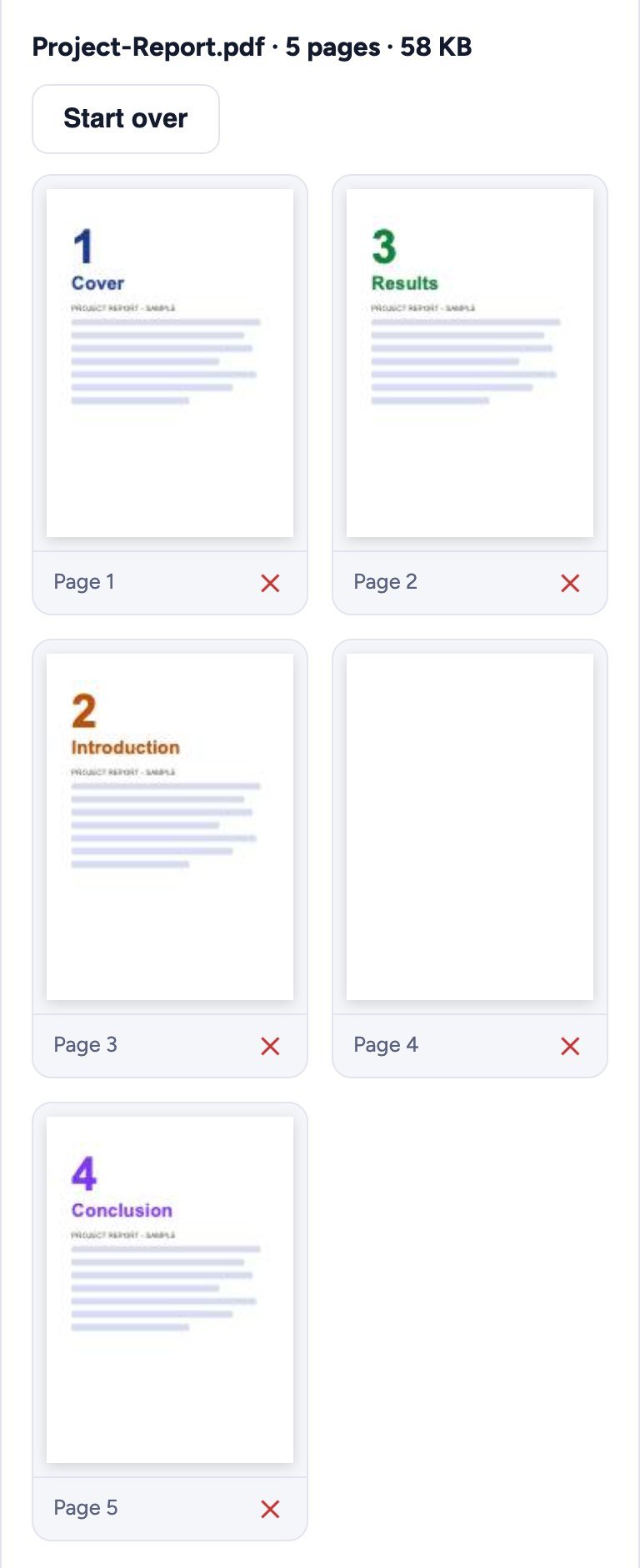
In this example we fix a 5-page project report: “Results” comes before “Introduction”, and page 4 is blank.
Step 1: Choose your PDF
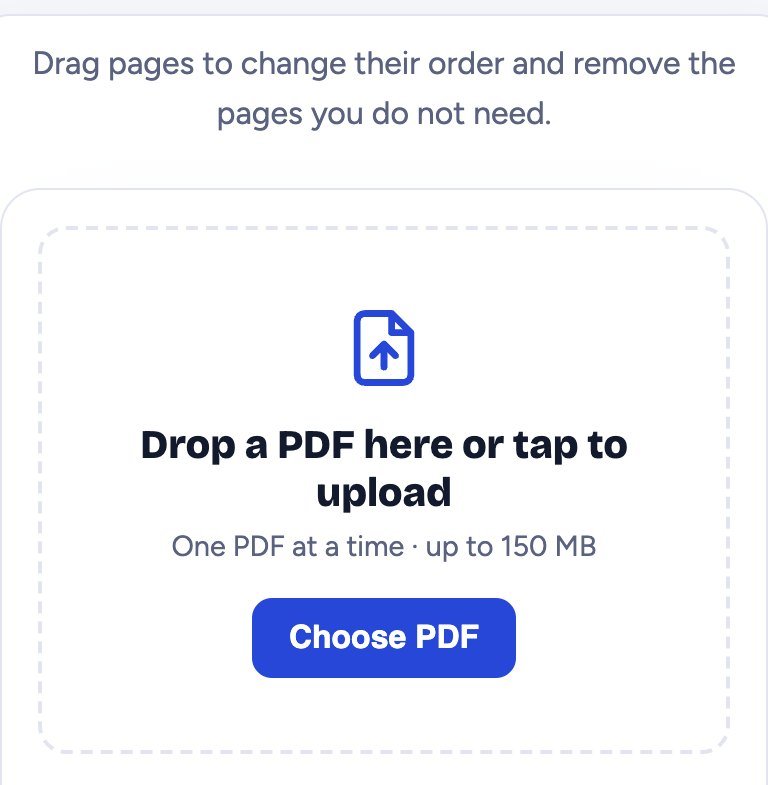
Open Organize PDF and tap Choose PDF. Pick your file (up to 150 MB).
Step 2: See all the pages
Every page is shown as a small picture with its page number, so you can quickly spot pages in the wrong place and pages you do not need.
Step 3: Drag to reorder, tap ✕ to delete
- Change the order: drag a page to its new place. On a phone, press and hold the page for a moment, then drag it.
- Delete a page: tap the red ✕ under it.
- The small label under each page still shows its old page number, so you always know which page is which.
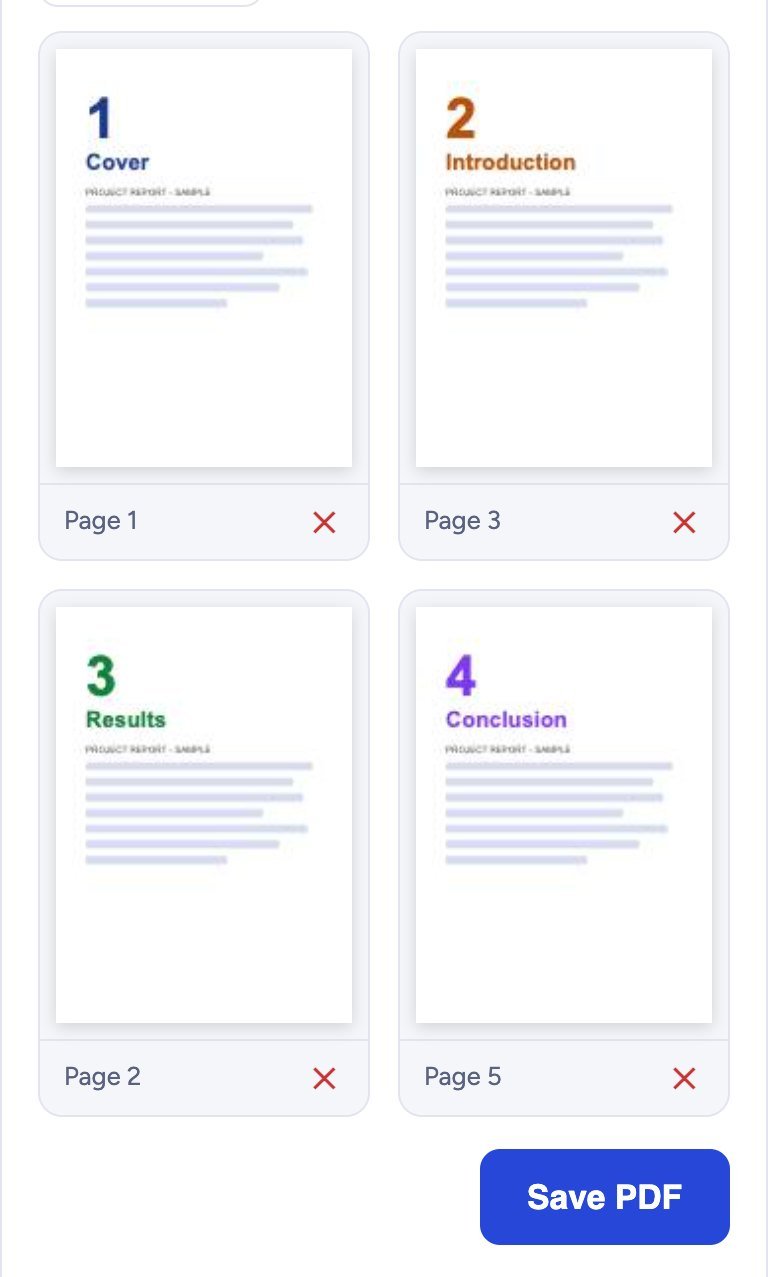
Here “Introduction” was moved before “Results”, and the blank page was removed.
Step 4: Save the PDF and download it
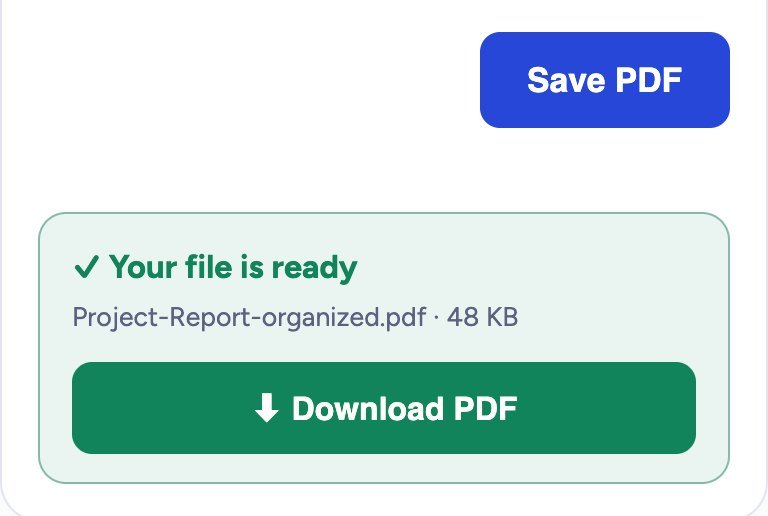
Tap Save PDF. A green box says Your file is ready; tap Download PDF. The new file is named like yourfile-organized.pdf and has the pages exactly in the order you set. Your original file is not changed.
Is the quality the same?
Yes. Pages are copied as they are, so text, images, links and quality stay exactly the same. Only the order changes and the deleted pages are left out.
Is it safe?
Yes. Your PDF is organized inside your own browser. It is never uploaded to our server, so nobody else can see it.
Tips
- Some pages sideways or upside down? Fix them with Rotate PDF.
- Need only a few pages as a separate file? Use Split PDF.
- Pages spread over several files? Join them first with Merge PDF, then organize the result.
- Want numbers on the pages after reordering? Add them with Page Numbers.
Frequently asked questions
Is Organize PDF free?
Yes. It is completely free, with no signup, no daily limit and no watermark.
Does it work on a phone?
Yes. On Android phones and iPhone, press and hold a page, then drag it. It also works on computers in Chrome, Edge, Firefox and Safari.
Can I undo a deleted page?
Tap Start over to load the file again with all its pages. Your original file is never changed.
How many pages can I organize?
Files up to 150 MB work. Very long documents with hundreds of pages are easier to handle on a computer.
Can I organize a password protected PDF?
First remove the password with Unlock PDF (you need to know it), then organize the pages.
Conclusion
Putting PDF pages in order takes a minute: choose the PDF, drag pages to their place, tap ✕ on the ones you do not need, and download. The quality stays the same and your file never leaves your device. Try it now: the free Formoni Organize PDF tool.