By
Sometimes you need only a few pages from a big PDF: your marksheet from a file with all your documents, one chapter from a book, or one bill from a long statement. With the free Formoni Split PDF tool you can extract pages from a PDF or split a PDF into separate files in a few seconds. It works in your browser on phone or computer: no app, no signup, no watermark, and your file is not uploaded anywhere.
3 ways to split a PDF
- Extract pages into one PDF: pick the pages you need (for example 2-3) and get one new PDF with only those pages.
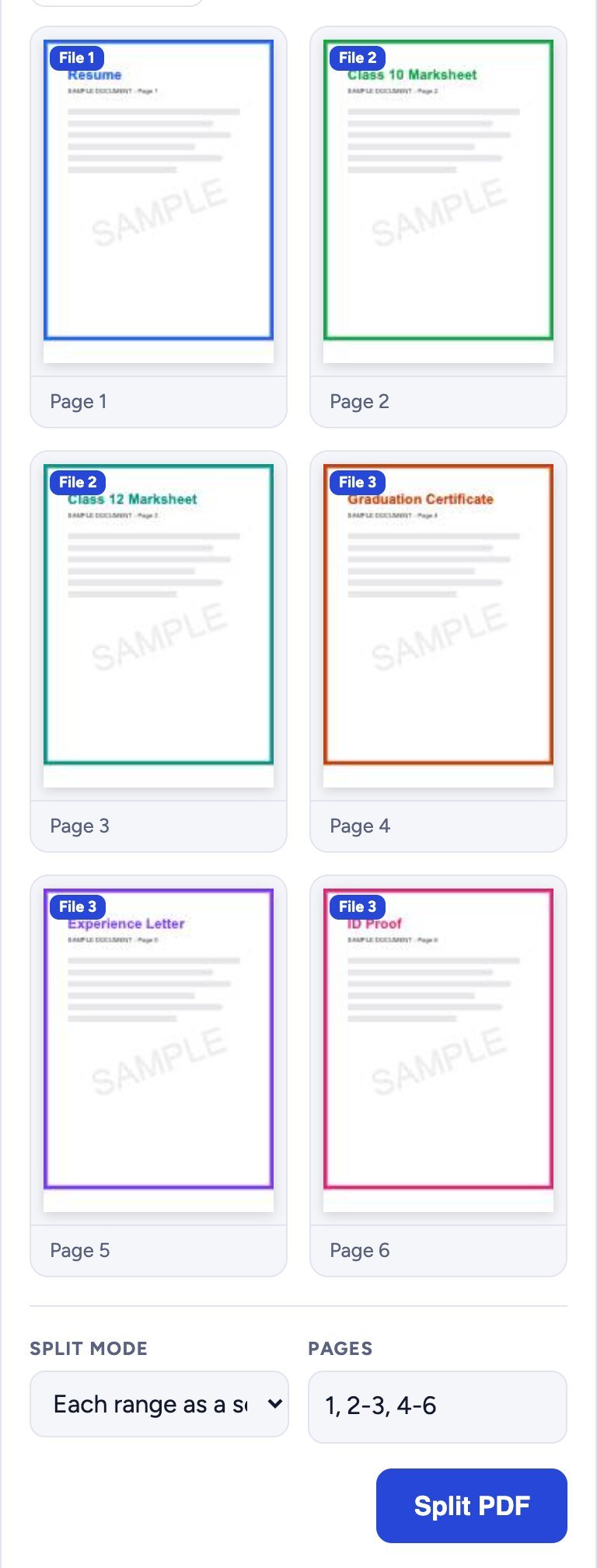
- Each range as a separate PDF: for example 1, 2-3, 4-6 gives 3 PDF files: page 1, pages 2-3 and pages 4-6.
- Every page as a separate PDF: a 6-page PDF becomes 6 one-page PDFs.
How to split a PDF, step by step
Step 1: Choose your PDF
Open Split PDF and tap Choose PDF. Pick the PDF you want to split (up to 150 MB). On a computer you can also drag it into the box. All its pages are shown as small previews with their page numbers.
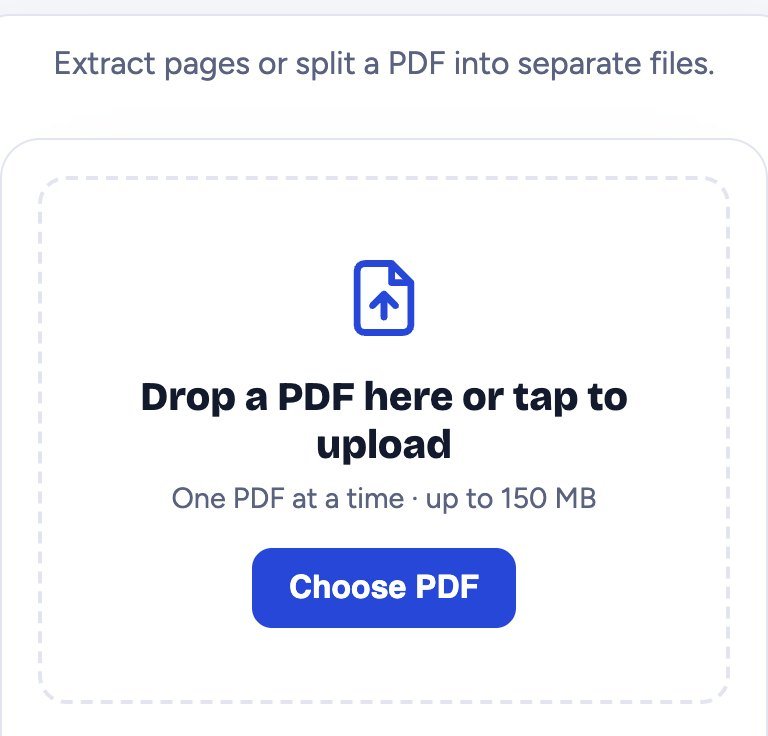
Step 2: Choose the pages
Under the previews, choose the Split mode and type the Pages:
- Use a dash for a range: 2-5 means pages 2, 3, 4 and 5.
- Use a comma between parts: 1, 3, 7-9.
- The previews update as you type: pages you did not choose turn pale, so you can see what will be in the new PDF.
In this example, Extract pages into one PDF with pages 2-3 takes only the two marksheets out of a 6-page file.
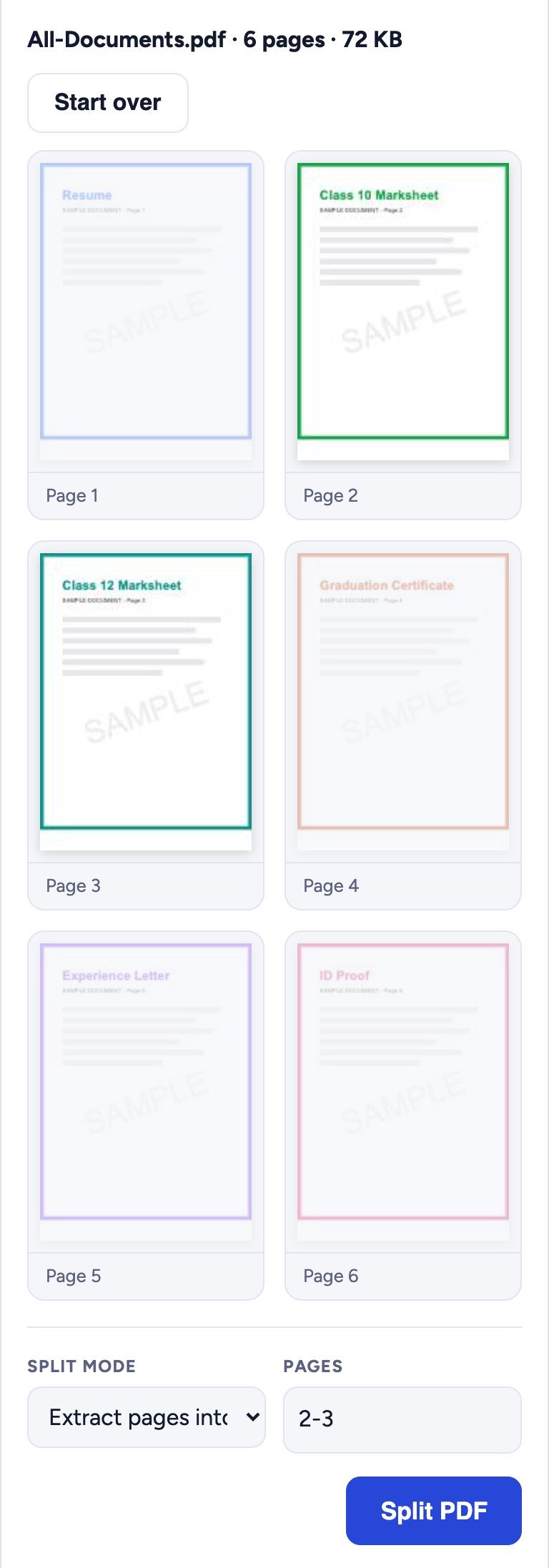
With Each range as a separate PDF, every preview shows a File 1, File 2… tag, so you know which new file each page goes into.
Step 3: Split and download
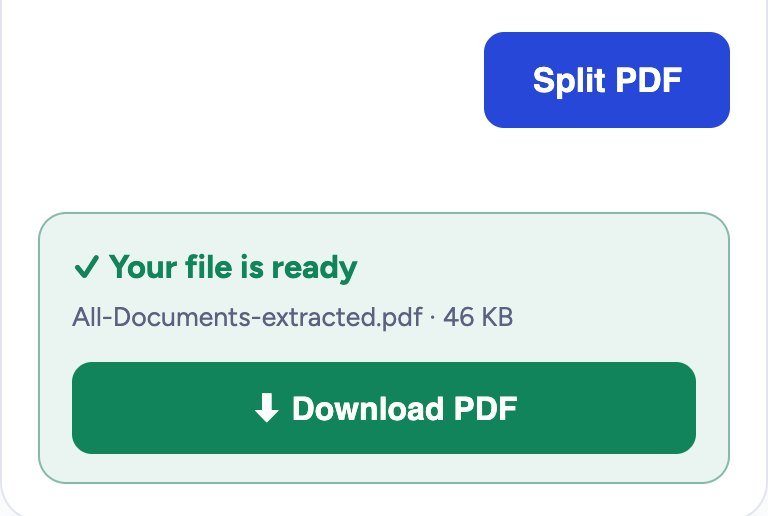
Tap Split PDF. A green box says Your file is ready; tap Download PDF. When you extract pages, you get one PDF named like yourfile-extracted.pdf. When the result is several files, they come together in one ZIP file: open it in your Files app (or unzip it on a computer) to get the PDFs.
Is it safe for private documents?
Yes. The PDF is split inside your own browser. It is never uploaded to our server, so your marksheets, ID and bank papers stay on your device.
Tips
- Want to join pages from different files? Split them first, then join them with Merge PDF. See how to merge PDF files.
- Want to delete or reorder a few pages but keep one file? Organize PDF is quicker.
- New PDF still too big for a form? Make it smaller with Compress PDF.
- Need a page as a photo? Use PDF to Image to save it as JPG.
- PDF has a password? If you know it, remove it first with Unlock PDF.
Frequently asked questions
Is Split PDF free?
Yes. It is completely free, with no signup, no daily limit and no watermark.
Will the quality change?
No. The pages are copied as they are: text stays sharp and searchable, and images keep their quality.
Does it work on a phone?
Yes. It works on Android phones, iPhone and computers in Chrome, Edge, Firefox and Safari.
How do I open the ZIP file on my phone?
On Android, open it in the Files app and tap Extract. On iPhone, tap the ZIP in the Files app and it opens into a folder with your PDFs.
Can I take out pages that are not next to each other?
Yes. Type them with commas, for example 1, 4, 9. With Extract pages into one PDF they all go into one file.
Conclusion
With Split PDF you can take out exactly the pages you need: choose the PDF, type the pages and download. It takes less than a minute and your file never leaves your device. Try it now: the free Formoni Split PDF tool.